
Multi Monitor Wallpaper – Reset Wallpapers
This fix typically works if:
- Multi Monitor Wallpaper Wallpaper won’t set for a screen
- Wallpaper is lost/broken when you attach or remove monitors
What to do
- Open Multi Monitor Wallpaper
- Open settings (click on the cog icon, or menu/Multi Monitor Wallpaper/preferences)
- Click on ‘Reset All Wallpapers’
- Allow the app access to the required folder
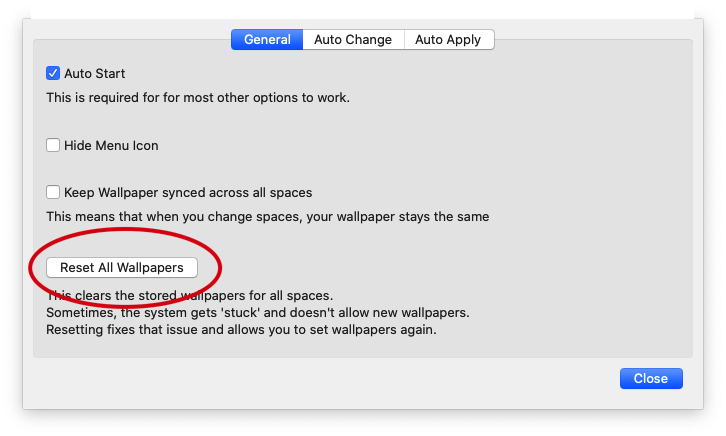
This will reset all your spaces/desktops (though you won’t immediately see the change in your currently visible workspace)
- Once you have done this, you can set your wallpapers with MMW again
Background for the Technically Minded
Setting the wallpaper is actually a very simple command in Mac OS. Essentially – I say ‘set this image for screen N’
Once that is done – Multi Monitor Wallpaper has no part in ‘keeping the wallpaper active’ – the operating system is completely in charge.
This means that when the wallpaper is ‘lost’ – the operating system failed to properly save and restore the configuration.
In some cases, the system gets ‘stuck’ and stops allowing apps like Multi Monitor Wallpaper to set new wallpapers.
I have pinned down at least one way to reliably re-create this bug on my mac. What seems to happen is that the database where the system stores what image is applied for each screen/space gets corrupted.
- The database is stored at ~/Library/Application Support/Dock/desktoppicture.db
- I have reported this to Apple (and submitted a demonstration project and corrupted database